FreeCine vs MX Player vs VLC: Which Android Player is Best?
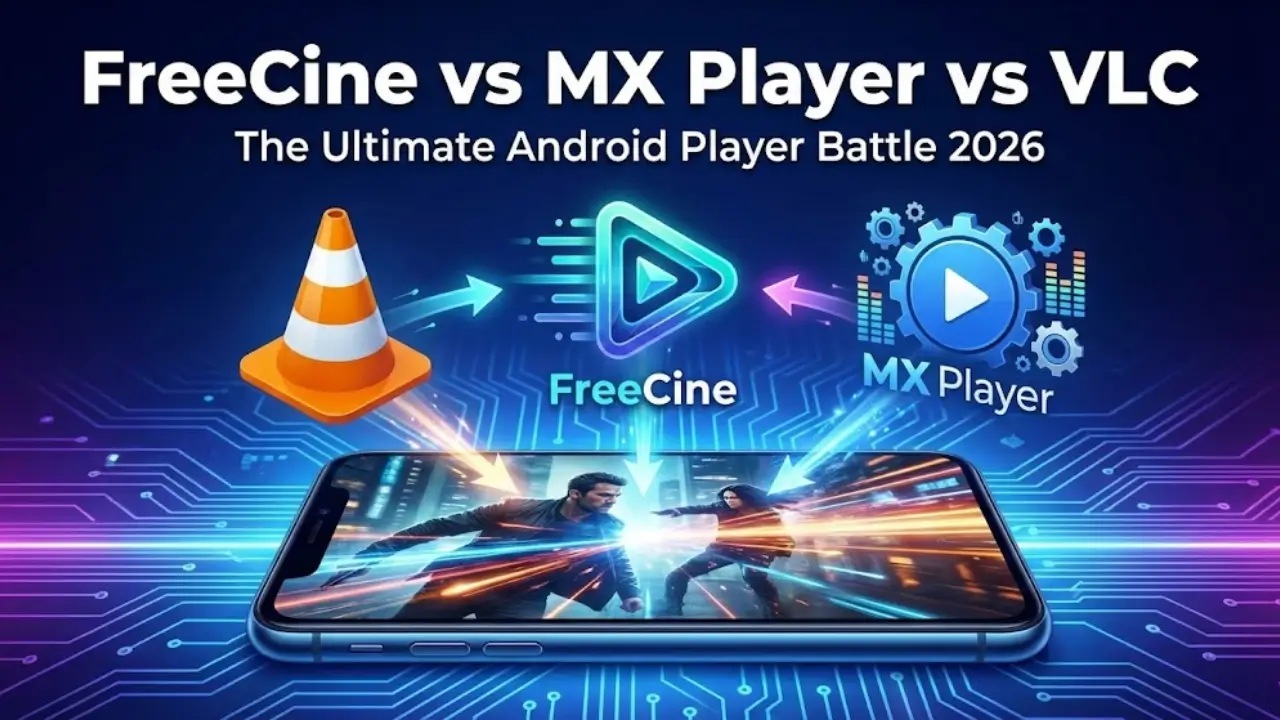
Choosing the right media player for your Android device can be tricky, especially when there are several excellent options available. FreeCine, MX Player, and VLC are three of the most popular media players, each with unique features and strengths. In this guide, we’ll compare them based on user interface, performance, supported formats, customization, and safety to help you pick the best option for your needs.
1. User Interface Comparison – Clean vs Complex
The user interface (UI) plays a huge role in your viewing experience.
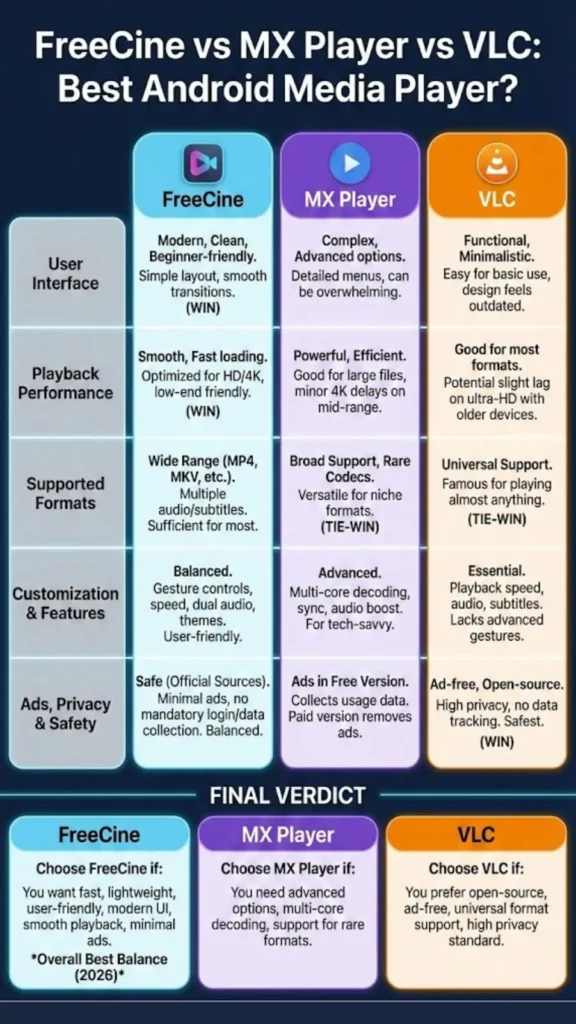
- FreeCine: FreeCine features a modern, clean, and beginner-friendly interface. Its simple layout makes it easy to find videos, adjust settings, and navigate between sections without confusion. Large icons and smooth transitions ensure a hassle-free experience, even for first-time users.
- MX Player: MX Player has a slightly more complex interface. While it offers advanced options, some features can be overwhelming for casual users. The navigation menus are detailed but may take time to get used to.
- VLC: VLC’s interface is functional but minimalistic. While it’s easy to use for basic playback, some users find the design outdated compared to FreeCine or MX Player.
Verdict: FreeCine wins for simplicity and user-friendliness, making it ideal for beginners or users who prefer a clean layout.
2. Playback Performance – Smoothness and Speed
Smooth playback is crucial, especially for HD and 4K content.
- FreeCine: FreeCine is optimized for fast loading and smooth playback, even on low-end devices. Its smart decoder reduces lag, making HD and 4K videos play seamlessly.
- MX Player: MX Player is powerful and handles large video files efficiently. However, some mid-range devices may experience minor delays when playing 4K content.
- VLC: VLC performs well for most video formats but may lag slightly with ultra-high-definition files on older devices.
Verdict: FreeCine offers excellent playback performance with minimal lag, making it perfect for casual and heavy users alike.
3. Supported Video Formats – Versatility Across Players
A media player’s format support determines what files you can watch without converting them.
- FreeCine: Supports a wide range of video formats including MP4, MKV, AVI, MOV, and more. It also supports multiple audio tracks and external subtitles.
- MX Player: Offers broad format support, including rare codecs. It’s one of the most versatile players in this category.
- VLC: VLC is famous for its almost universal format support, making it a go-to option for users with diverse media libraries.
Verdict: While all three players support most common formats, VLC and MX Player slightly edge out FreeCine for niche formats. However, FreeCine’s coverage is sufficient for most users.
4. Customization and Features – Subtitles, Audio, and More
Customization options improve the viewing experience by allowing you to adjust playback settings, subtitles, and audio.
- FreeCine: FreeCine offers gesture controls, adjustable playback speed, screen lock mode, dual audio support, and one-tap subtitle loading. Users can also customize themes, subtitle fonts, and interface layouts.
- MX Player: MX Player provides advanced features like multi-core decoding, subtitle synchronization, and audio boost. It’s great for tech-savvy users who want more control.
- VLC: VLC offers essential customization like playback speed, audio adjustment, and subtitle settings. However, it lacks some of the advanced gesture-based controls seen in FreeCine and MX Player.
Verdict: FreeCine balances simplicity and customization, making it user-friendly while still offering advanced options.
5. Ads, Privacy, and Safety – Which Player is Safer?
Security and privacy are critical, especially when downloading third-party apps.
- FreeCine: FreeCine is safe when downloaded from official sources. It has minimal ads and does not require mandatory login or collect personal data.
- MX Player: MX Player contains ads in the free version and collects some usage data. A paid version is available to remove ads.
- VLC: VLC is ad-free and open-source, making it one of the safest options. It respects user privacy and does not track personal data.
Verdict: VLC leads in privacy, FreeCine offers a good balance of security and minimal ads, and MX Player is safe but may display ads unless upgraded.
Final Verdict: Which Player Should You Choose?
- Choose FreeCine if you want a fast, lightweight, and user-friendly media player with a modern interface, smooth playback, and minimal ads.
- Choose MX Player if you need advanced playback options, multi-core decoding, and support for rare formats.
- Choose VLC if you prefer an open-source, ad-free experience with universal format support and high privacy standards.
Overall, for most Android users, FreeCine strikes the perfect balance between speed, usability, and features, making it one of the best media players available in 2026.